Cheap Peloton alternatives: buy the bike, skip the screen
The bike underneath a connected cycling setup is a flywheel, a frame and a resistance knob. The screen and the subscription are the expensive parts, and both are optional.
Updated August 2026 · By Stephen V.
Strip a connected exercise bike down to its parts and you get a heavy flywheel, a steel frame, a belt drive, a resistance mechanism, a set of adjustable contact points, and a tablet bolted to the handlebars running a subscription app. The first six of those are commodity hardware that budget manufacturers make perfectly well. The seventh is where most of the money goes.
So the budget version of this purchase is straightforward: buy a solid indoor cycling bike, prop your own phone or tablet on the handlebars, and run whatever cycling app or free class you like. You lose automatic resistance control and the metrics that depend on it. You keep the workout. Here are the bikes we would buy for that setup and an honest account of the trade.
The short answer
In a hurry? These are the picks we'd buy. Prices are live; tap a card below for the full reasoning.
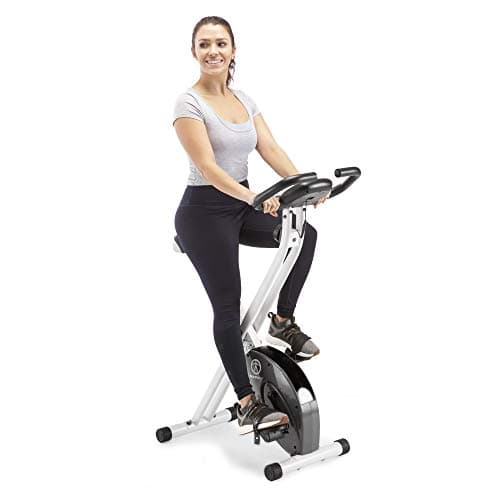
A plain folding upright from a brand that has been building them for decades — no app, no screen, and very little that can go wrong.
Type
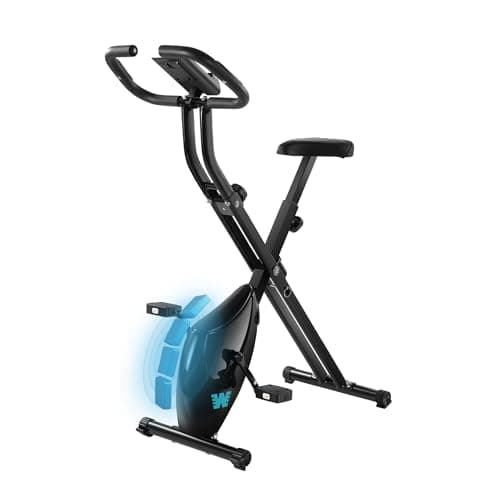
Folding upright bike
Resistance
Adjustable
Storage
Folds flat
Best for
Light and moderate riding
Pros
Long-established brand with a deep owner-review history
Folds to a genuinely small footprint
Simple mechanism with very little to go wrong
Cons
Light frame moves if you ride hard
Limited resistance range at the top end
Basic seat that most people will want to change
Best for: a plain bike from a long-established brand.
Skip this
The budget traps that look cheap and cost you twice. We'd skip these.
Budget bikes with a screen built in
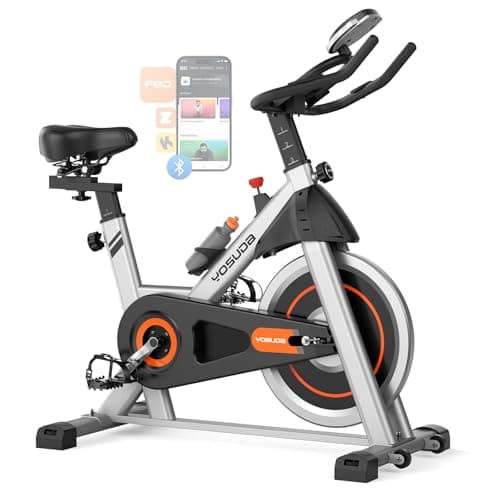
A cheap bike with an integrated screen combines the worst of both: you pay extra for a low-resolution display running software nobody updates, and you cannot swap it for the tablet you already own. A plain bike plus a phone or tablet holder is cheaper, better and upgradeable.
Assuming a knob-resistance bike can follow a watts-based class
Classes that call for a specific resistance level or power output assume the bike can measure and set it. A friction-knob bike cannot. You can still ride the class by feel — and most people do — but if you specifically want the numbers to line up, that is the feature you are giving up, and no amount of shopping around at this price gets it back.
How to choose (and what to skip)
Decide which part you actually want
The classes, the leaderboard and the automatic resistance are the connected-bike product. The flywheel, frame and pedals are the bike. If it is the classes you want, they are available on a tablet from several providers and are the cheap part of the equation. If it is the hardware feel you want, a good budget indoor cycling bike gets remarkably close.
Flywheel weight and drive type set the ride feel
A heavier flywheel gives the smooth, continuous momentum that makes a studio bike feel the way it does. Belt drives are quieter than chain drives and need no maintenance. Between them, those two specifications explain most of the difference between a bike you enjoy riding and one you tolerate.
Friction versus magnetic resistance
Friction pads give infinite adjustment and a familiar feel but wear out and can squeak. Magnetic resistance is silent, maintenance-free and usually stepped rather than continuous. For apartments, magnetic. For the closest studio feel, friction. Neither can be set automatically by an app at this price.
Fit adjustment is not a luxury
Seat height, seat fore-aft, and handlebar height all need to adjust if more than one person will ride, and seat height alone is not enough for a comfortable position. This is the specification most often quietly missing on the cheapest bikes, and it is the one that decides whether riding hurts.
Budget for a tablet holder and a mat
Two small purchases finish the setup: a clamp-on tablet holder so you can see a class, and a mat under the bike to stop it marking the floor and to catch sweat. Together they cost very little and turn a bare bike into the setup you were actually shopping for.
What you genuinely give up
Being straight about this matters. With a budget bike and your own tablet you lose three things. First, automatic resistance: when an instructor says to add resistance, you turn a knob by feel rather than the bike doing it. Second, calibrated power output — budget bikes do not measure watts, so any class or metric built around power targets stops being precise. Third, the integrated experience: one screen, one login, everything talking to everything.
What you keep is the actual training. Pedaling hard against resistance for 30 minutes is the thing that makes you fitter, and that does not require calibration. For most people at home the honest gap between the two setups is smaller than the price gap by a wide margin.
Building the setup
The whole build is: bike, tablet holder, mat, and a fan if the room is warm. Prop the tablet where the screen would be, run whichever app or free class you like, and ride. If you already own a phone or tablet — nearly everyone does — that part costs nothing.
A mat matters more than it sounds. Sweat is corrosive, and a bike ridden hard drips onto whatever is beneath it. A cheap rubber tile or mat under the bike protects the floor and keeps the frame from marking it — see our budget flooring roundup.
How this fits the wider budget gym
An indoor bike is the cheapest, quietest serious cardio machine you can own, which is why it appears in our under $500 build and why it is the usual recommendation for apartments in quiet cardio for apartments. If you want a broader comparison of the cardio categories, the budget exercise bike roundup covers bikes on their own terms, and the budget elliptical roundup covers the low-impact alternative. And if what you actually want is short brutal intervals rather than classes, the budget air bike roundup covers the cheap, loud way to get them.
Frequently asked questions
What is the cheapest alternative to a connected exercise bike?+
A budget indoor cycling bike plus a phone or tablet you already own. That combination reproduces the hardware and the classes for a small fraction of a connected setup. What it does not reproduce is automatic resistance control and calibrated power measurement, both of which are features of the expensive package rather than of the exercise itself.
Can I use cycling classes with a cheap bike?+
Yes. Any class you can play on a phone or tablet works on any bike — you follow the cadence and effort cues and set resistance by feel with the knob. What will not work precisely is a class built around specific power or resistance-level targets, since a budget bike cannot measure or set those.
Do I need a heavy flywheel?+
It is the specification that most affects how the bike feels. A heavier flywheel carries momentum through the pedal stroke and produces the smooth, road-like feel of a studio bike. A light flywheel feels choppier and less stable at speed. Within a budget, prioritize flywheel weight and a belt drive over console features.
Is a budget bike durable enough for daily riding?+
A decent one is. The parts that wear are the friction pad, if it has one, and the seat, and both are cheap and replaceable. The parts that decide long-term survival are frame rigidity and the bearings in the flywheel, which is why frame stability under hard riding is worth more attention than any console feature.
Prices and availability shown here come from Amazon's live data and change often; we re-verify them regularly. Bar Bumper is an Amazon Associate and earns a commission on qualifying purchases at no extra cost to you. Read our full disclosure.